
diff options
| author | sigoden <sigoden@gmail.com> | 2024-03-02 08:07:06 +0000 |
|---|---|---|
| committer | sigoden <sigoden@gmail.com> | 2024-03-02 08:07:06 +0000 |
| commit | d275c33632271bf9cdbc01ef005deb9ff851370b (patch) | |
| tree | e2e924469ee752245acef4f965fca6b770ac6e03 | |
| parent | 6216b40f8c0eeaea7d47349148ede054ee4a5822 (diff) | |
| download | aichat-d275c33632271bf9cdbc01ef005deb9ff851370b.tar.gz | |
chore: move integration scripts
| -rw-r--r-- | README.md | 15 | ||||
| -rw-r--r-- | scripts/shell-integration/integration.bash (renamed from scripts/integration.bash) | 0 | ||||
| -rw-r--r-- | scripts/shell-integration/integration.fish (renamed from scripts/integration.fish) | 0 | ||||
| -rw-r--r-- | scripts/shell-integration/integration.ps1 (renamed from scripts/integration.ps1) | 0 | ||||
| -rw-r--r-- | scripts/shell-integration/integration.zsh (renamed from scripts/integration.zsh) | 0 |
5 files changed, 3 insertions, 12 deletions
@@ -53,7 +53,7 @@ Download it from [GitHub Releases](https://github.com/sigoden/aichat/releases), - VertexAI (paid, vision) - Ernie (paid) - Qianwen (paid, vision) -- Support [REPL Mode](#chat-repl) and [Command Mode][#command] +- Support [REPL Mode](#chat-repl) and [Command Mode](#command) - Support [Roles](#roles) - Support context-aware conversation (session) - Support multimodal models (vision) @@ -62,7 +62,7 @@ Download it from [GitHub Releases](https://github.com/sigoden/aichat/releases), - Save messages/sessions - Stream/Non-stream output - With proxy -- With Dark/light theme +- With dark/light theme ## Config @@ -399,16 +399,7 @@ This is a **very handy feature**, which allows you to use `aichat` shell complet 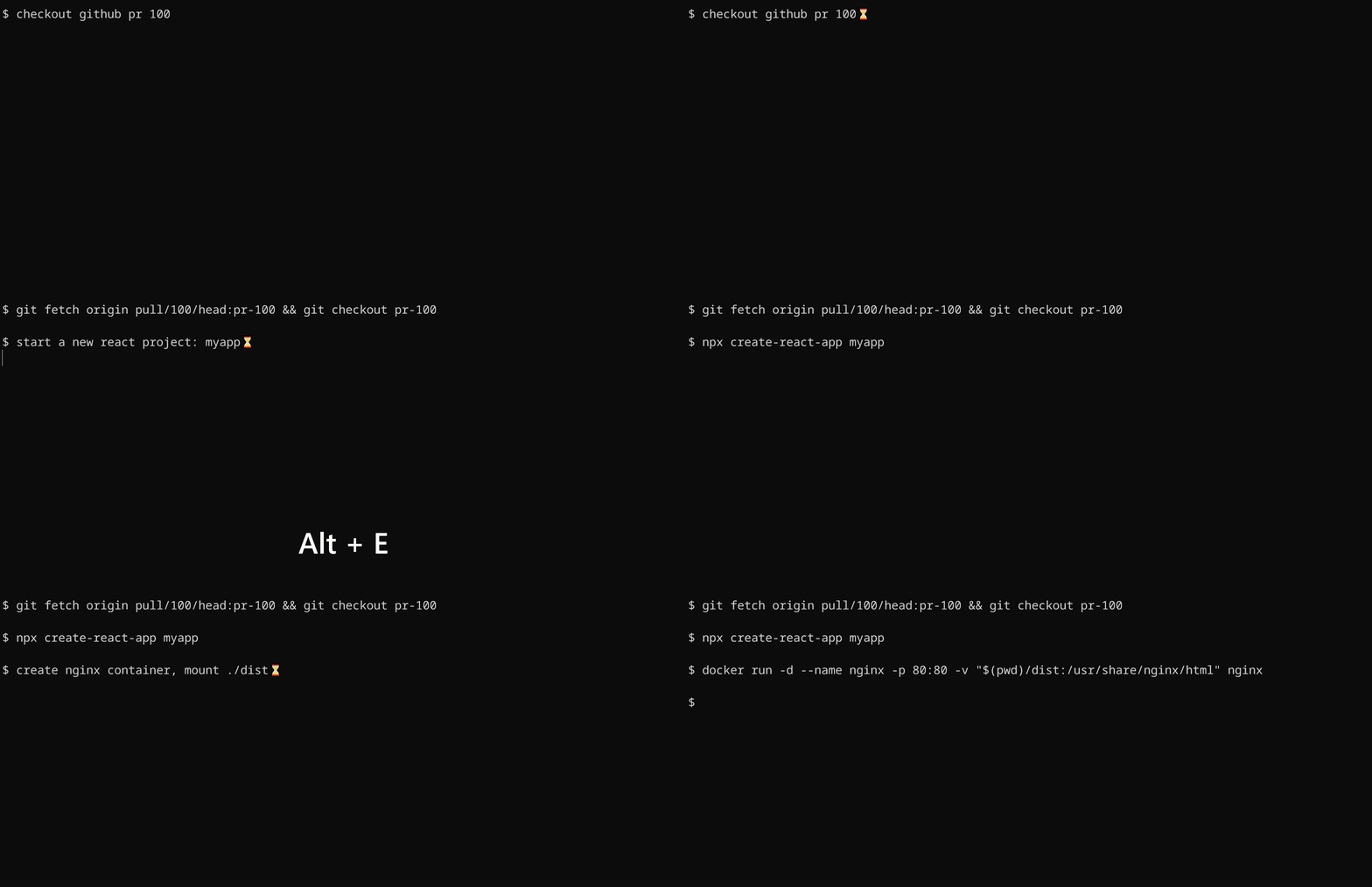 -To install shell integration, run the following code: - -```sh -sh_ext=bash # possible values: bash, fish, zsh, ps1 -sh_url=https://raw.githubusercontent.com/sigoden/aichat/main/scripts/integration.$sh_ext -curl -o aichat-integration.$sh_ext $sh_url -source aichat-integration.$sh_ext -``` - -After that restart your shell. You can invoke the completion with `alt+e` hotkey. +To install shell integration, go to [./scripts/shell-integration](./scripts/shell-integration/) to download the script and source the script in rc file. After that restart your shell. You can invoke the completion with `alt+e` hotkey. ## License diff --git a/scripts/integration.bash b/scripts/shell-integration/integration.bash index 572c7be..572c7be 100644 --- a/scripts/integration.bash +++ b/scripts/shell-integration/integration.bash diff --git a/scripts/integration.fish b/scripts/shell-integration/integration.fish index 2d4dfb9..2d4dfb9 100644 --- a/scripts/integration.fish +++ b/scripts/shell-integration/integration.fish diff --git a/scripts/integration.ps1 b/scripts/shell-integration/integration.ps1 index 6a94189..6a94189 100644 --- a/scripts/integration.ps1 +++ b/scripts/shell-integration/integration.ps1 diff --git a/scripts/integration.zsh b/scripts/shell-integration/integration.zsh index 2328bd6..2328bd6 100644 --- a/scripts/integration.zsh +++ b/scripts/shell-integration/integration.zsh |