
diff options
Diffstat (limited to 'README.md')
| -rw-r--r-- | README.md | 110 |
1 files changed, 39 insertions, 71 deletions
@@ -1,41 +1,40 @@ -# Aichat: All-in-one AI-Powered CLI Chat & Copilot +# AIChat: All-in-one AI CLI Tool [](https://github.com/sigoden/aichat/actions/workflows/ci.yaml) [](https://crates.io/crates/aichat) [](https://discord.gg/mr3ZZUB9hG) -AIChat is a cutting-edge CLI chat and copilot tool that seamlessly integrates with over 10 leading AI platforms, providing a powerful combination of chat-based interaction, context-aware conversations, and AI-assisted shell capabilities, all within a customizable and user-friendly environment. +AIChat is an all-in-one AI CLI tool that allows users to access over 100 LLMs across 20+ AI platforms, with features including a chat REPL, custom roles, unlimited sessions, function calling, and more. 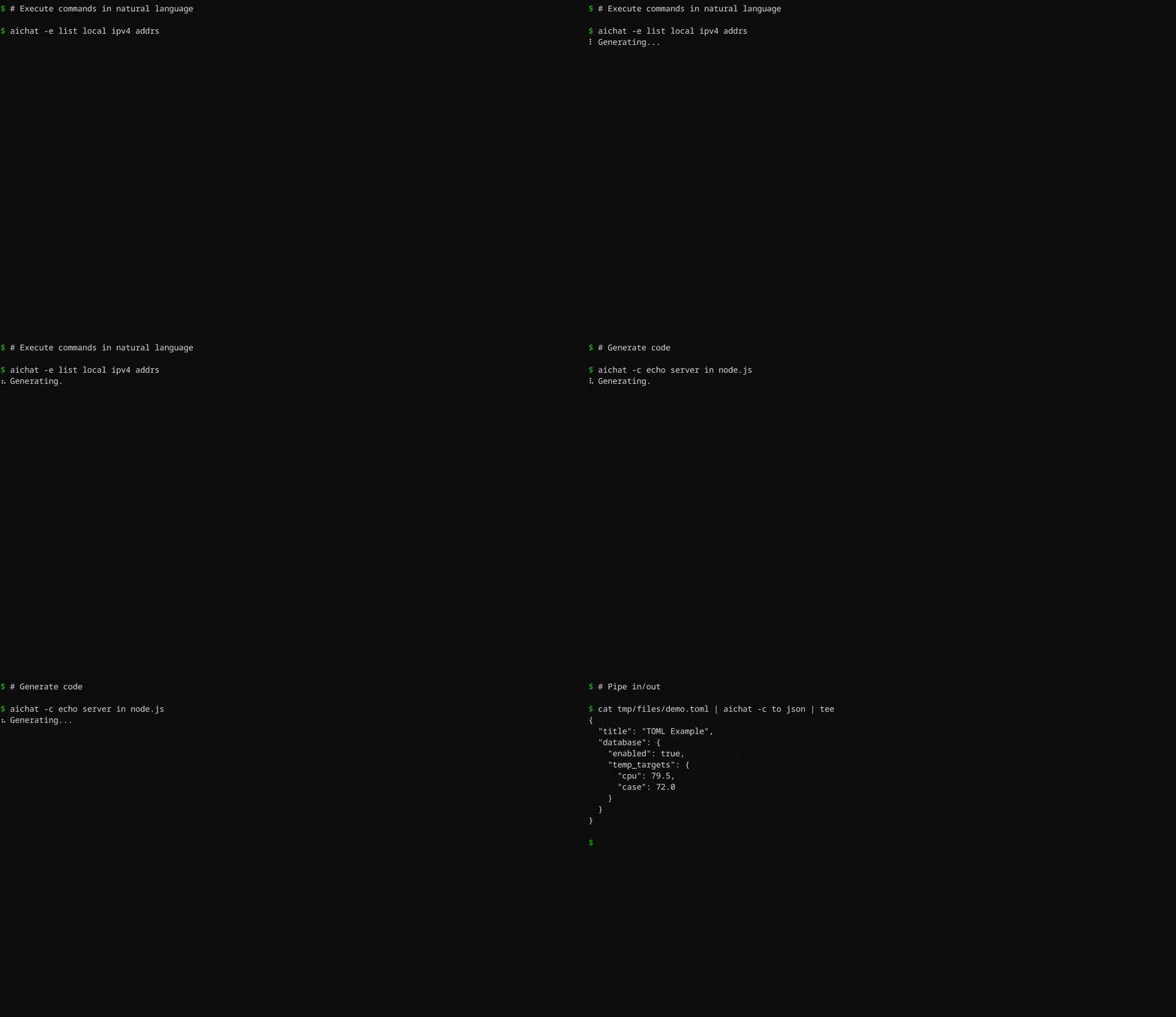 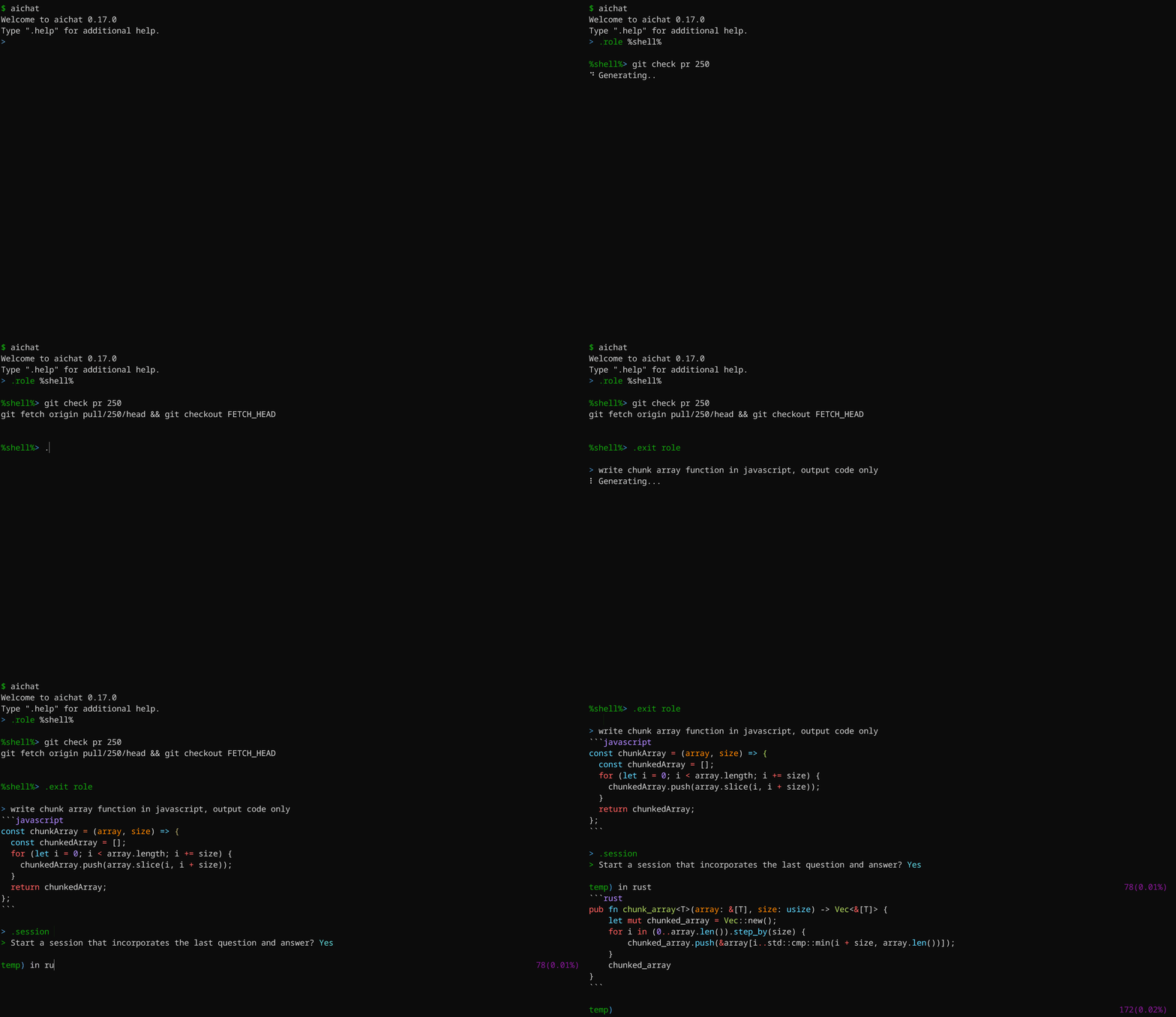 -## Key Features +## Features -- Integrate with 20+ AI platforms -- Support [Chat-REPL](#chat-repl) -- Support [Roles](#defining-roles) -- Support sessions (context-aware conversation) -- Support image analysis (vision) -- [Shell commands](#shell-commands): Execute commands using natural language -- [Shell integration](#shell-integration): AI-based shell auto-completion -- Support extensive configuration and theme customization -- Support stream/non-stream -- Provide access to all LLMs using OpenAI format API -- Host LLM playground/arena web applications +- **Unified CLI**: Access 100+ LLMs across 20+ AI platforms effortlessly. +- **Chat-REPL**: Powerful and feature-rich interactive chat interface. +- **Custom Roles**: Tailor LLM behavior with customizable roles. +- **Unlimited Sessions**: Automatic message compression for endless conversations. +- **Function Calling**: Connect LLMs to external tools seamlessly. +- **Execute Commands**: Use natural language to run shell commands. +- **Shell Auto-Completion**: AI-based auto-completion for shell commands. +- **Highly Customizable**: Customize configurations and themes to your preferences. +- **Local API Server**: Host a local server with OpenAI-compatible API. +- **LLM Playground/Arena**: Experiment and compete LLMs in WebUI. ## Supported AI Platforms -- OpenAI GPT-3.5/GPT-4 (paid, vision) -- Gemini: Gemini-1.0/Gemini-1.5 (free, paid, vision) -- Claude: Claude-3 (vision, paid) -- Mistral (paid) -- Cohere: Command-R/Command-R+ (paid) +- OpenAI GPT-3.5/GPT-4 (paid, vision, function-calling) +- Gemini: Gemini-1.0/Gemini-1.5 (free, paid, vision, function-calling) +- Claude: Claude-3 (vision, paid, function-calling) +- Mistral (paid, function-calling) +- Cohere: Command-R/Command-R+ (paid, function-calling) - Perplexity: Llama-3/Mixtral (paid) - Groq: Llama-3/Mixtral/Gemma (free) - Ollama (free, local) - Azure OpenAI (paid) -- VertexAI: Gemini-1.0/Gemini-1.5 (paid, vision) +- VertexAI: Gemini-1.0/Gemini-1.5 (paid, vision, function-calling) - VertexAI-Claude: Claude-3 (paid, vision) - Bedrock: Llama-3/Claude-3/Mistral (paid, vision) - Cloudflare (free, paid, vision) @@ -63,13 +62,13 @@ Download pre-built binaries for macOS, Linux, and Windows from [GitHub Releases] ## Configuration -Upon first launch, AIChat will guide you through the configuration process. An example configuration file is provided below: +Upon first launch, AIChat will guide you through the configuration process. ``` > No config file, create a new one? Yes > AI Platform: openai > API Key: <your_api_key_here> -✨ Saved config file to <user-config-dir>/aichat/config.yaml +✨ Saved config file to <config-dir>/aichat/config.yaml ``` Feel free to adjust the configuration according to your needs. @@ -95,7 +94,10 @@ prelude: null # Set a default role or session to start with ( buffer_editor: null # Compress session when token count reaches or exceeds this threshold (must be at least 1000) -compress_threshold: 1000 +compress_threshold: 4000 + +# Controls the function calling feature. For setup instructions, visit https://github.com/sigoden/llm-functions. +function_calling: false clients: - type: openai @@ -111,9 +113,10 @@ clients: ... ``` -Refer to the [config.example.yaml](config.example.yaml) file for a complete list of configuration options. +The [config.example.yaml](./config.example.yaml) file provides a comprehensive list of all configuration options with detailed explanations. +You'll find information on each option's meaning, default value, relevant documentation, and customization guidance. -## Command line +## Command-Line ``` Usage: aichat [OPTIONS] [TEXT]... @@ -246,31 +249,9 @@ Press Ctrl+C to cancel the response, Ctrl+D to exit the REPL ### `.info` - view information -``` -> .info -model openai:gpt-3.5-turbo -max_output_tokens 4096 (current model) -temperature - -top_p - -dry_run false -save true -save_session - -highlight true -light_theme false -wrap no -wrap_code false -auto_copy true -keybindings emacs -prelude - -compress_threshold 2000 -config_file /home/alice/.config/aichat/config.yaml -roles_file /home/alice/.config/aichat/roles.yaml -messages_file /home/alice/.config/aichat/messages.md -sessions_dir /home/alice/.config/aichat/sessions -``` - -> 💡 Run `.info role` to view your current role information. -> 💡 Run `.info session` to view your current session information. +- `.info`: View system information +- `.info role`: view your current role information. +- `.info session`: view your current session information. ### `.model` - change the current LLM @@ -353,7 +334,7 @@ Usage: .file <file>... [-- text...] .file message.txt .file config.yaml -- convert to toml -.file a.jpg b.jpg -- What’s in these images? +.file screentshot.png -- design a web app based on the image .file https://ibb.co/a.png https://ibb.co/b.png -- what is the difference? ``` @@ -400,36 +381,23 @@ curl -X POST -H "Content-Type: application/json" -d '{ The LLM Playground is a webapp that allows you to interact with any LLM supported by AIChat directly in your browser. -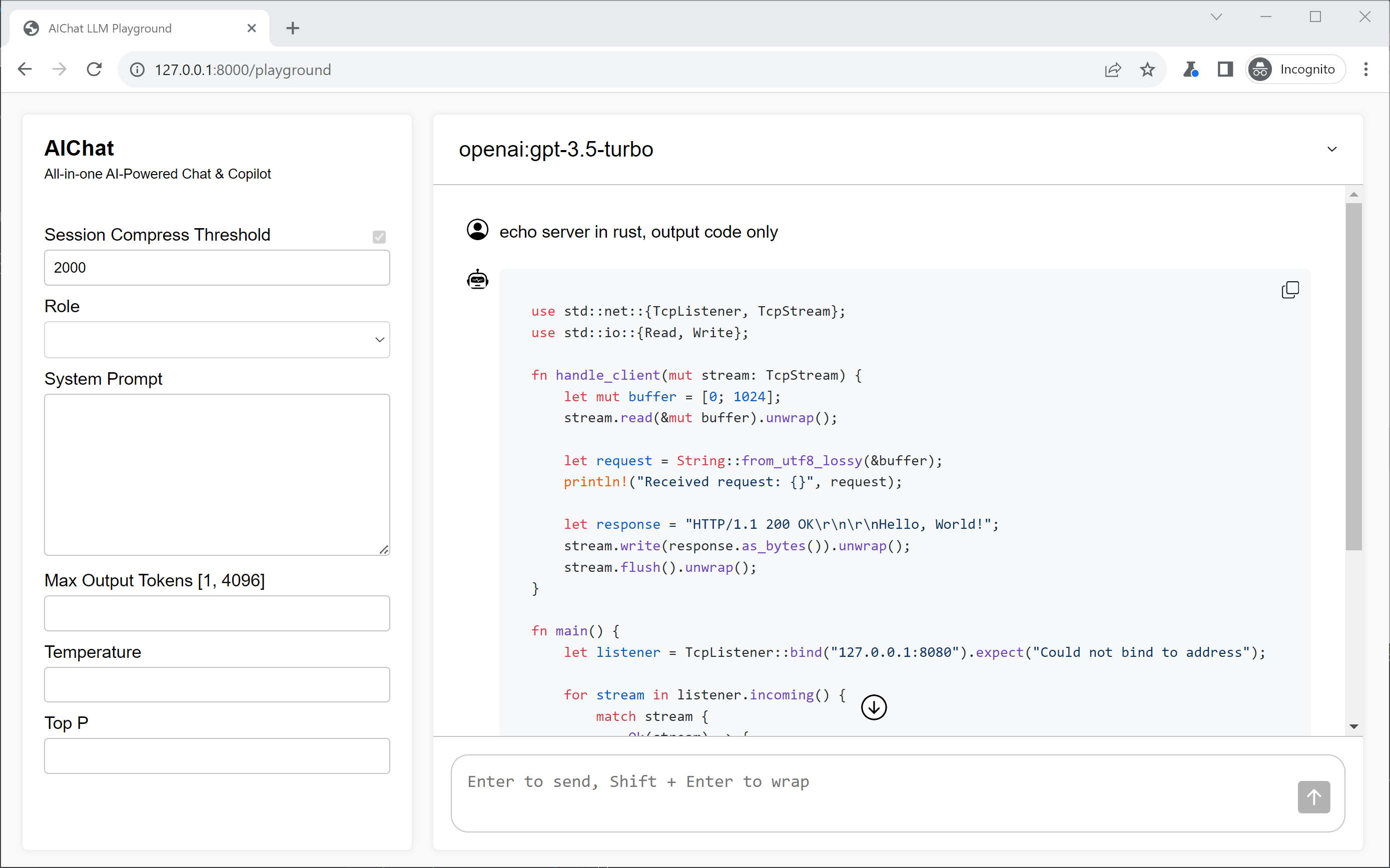 + ### LLM Arena The LLM Arena is a web-based platform where you can compare different LLMs side-by-side. - - -## Defining Roles + -The `roles.yaml` file allows you to define a variety of roles, each with its own unique prompt and behavior. This enables the LLM to adapt to specific tasks and provide tailored responses. +## Function Calling -We can define a role like this: +Function calling supercharges LLMs by connecting them to external tools and data sources. This unlocks a world of possibilities, enabling LLMs to go beyond their core capabilities and tackle a wider range of tasks. -```yaml -- name: emoji - prompt: > - I want you to translate the sentences I write into emojis. - I will write the sentence, and you will express it with emojis. - I don't want you to reply with anything but emoji. -``` +We have created a new repository to help you make the most of this feature: [https://github.com/sigoden/llm-functions](https://github.com/sigoden/llm-functions) -This enables the LLM to respond as a Linux shell expert. +Here's a glimpse of what function calling can do for you: -``` -> .role emoji - -emoji> fire -🔥 -``` + ## Wikis |