
diff options
Diffstat (limited to 'README.md')
| -rw-r--r-- | README.md | 15 |
1 files changed, 7 insertions, 8 deletions
@@ -311,10 +311,11 @@ Options: -r, --role <ROLE> Choose a role -s, --session [<SESSION>] Create or reuse a session -e, --execute Execute commands using natural language + -c, --code Generate only code -f, --file <FILE>... Attach files to the message to be sent -H, --no-highlight Disable syntax highlighting -S, --no-stream No stream output - -w, --wrap <WRAP> Specify the text-wrapping mode (no*, auto, <max-width>) + -w, --wrap <WRAP> Specify the text-wrapping mode (no, auto, <max-width>) --light-theme Use light theme --dry-run Run in dry run mode --info Print related information @@ -328,18 +329,16 @@ Options: Here are some practical examples: ```sh -aichat -s # Start REPL with a new temp session +aichat -s # Start REPL with a new session aichat -s temp # Reuse temp session aichat -r shell -s # Create a session with a role aichat -m openai:gpt-4-32k -s # Create a session with a model -aichat -s sh unzip a file # Run session in command mode +aichat -s temp unzip a file # Run session in command mode aichat -r shell unzip a file # Use role in command mode aichat -s shell unzip a file # Use session in command mode -cat config.json | aichat convert to yaml # Read stdin -cat config.json | aichat -r convert:yaml # Read stdin with a role -cat config.json | aichat -s i18n # Read stdin with a session +cat data.toml | aichat -c to json # Read stdin aichat --file a.png b.png -- diff images # Attach files aichat --file screenshot.png -r ocr # Attach files with a role @@ -352,7 +351,7 @@ aichat --info # system-wide information aichat -s temp --info # Show session details aichat -r shell --info # Show role info -$(echo "$data" | aichat -S -H to json) # Use aichat in a script +$(echo "$data" | aichat -c to json) # Use aichat in a script ``` ### Execute commands using natural language @@ -399,7 +398,7 @@ This is a **very handy feature**, which allows you to use `aichat` shell complet 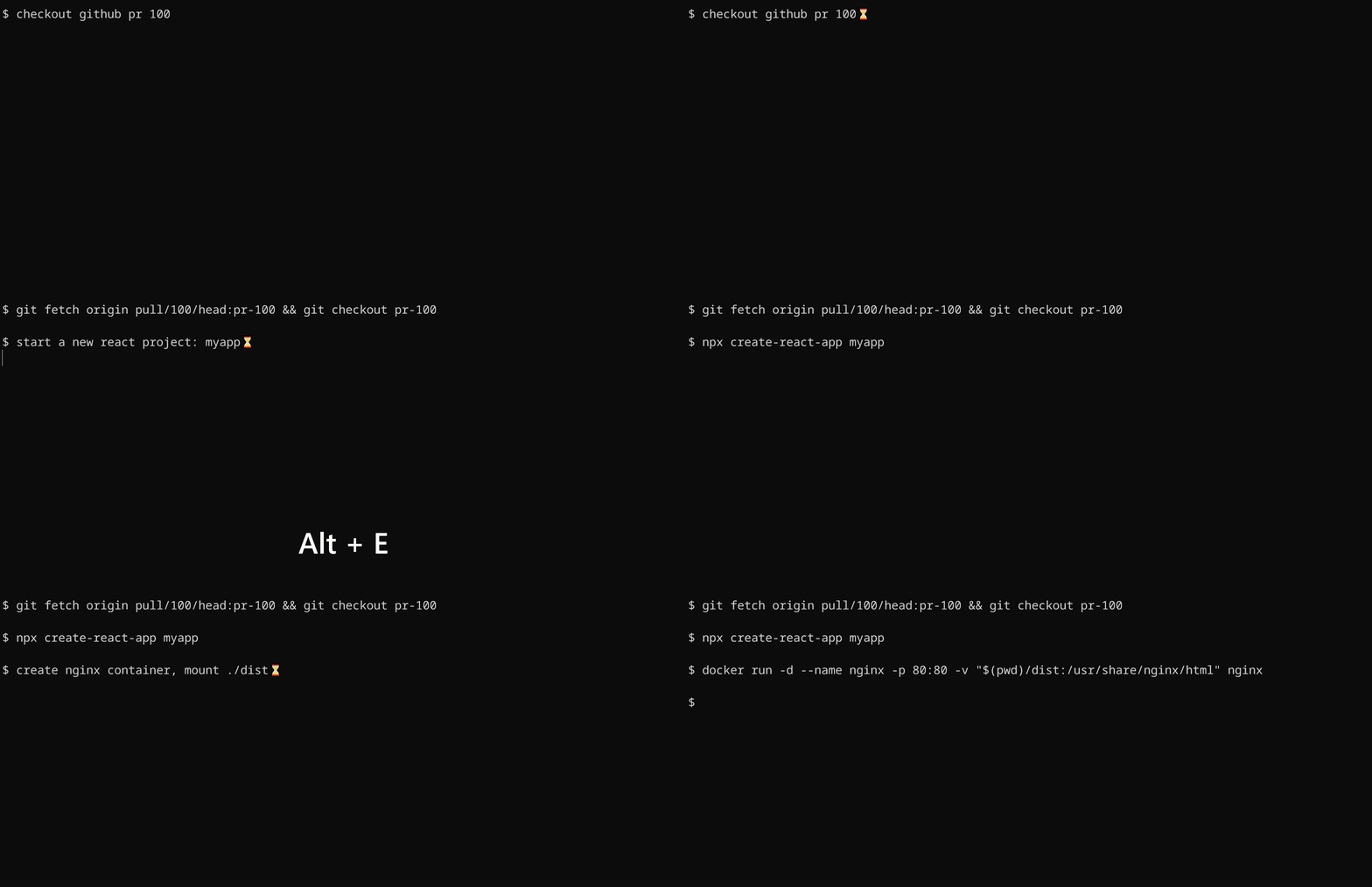 -To install shell integration, go to [./scripts/shell-integration](./scripts/shell-integration/) to download the script and source the script in rc file. After that restart your shell. You can invoke the completion with `alt+e` hotkey. +To install shell integration, go to [./scripts/shell-integration](https://github.com/sigoden/aichat/tree/main/scripts/shell-integration) to download the script and source the script in rc file. After that restart your shell. You can invoke the completion with `alt+e` hotkey. ## License |