
diff options
Diffstat (limited to 'README.md')
| -rw-r--r-- | README.md | 64 |
1 files changed, 32 insertions, 32 deletions
@@ -4,7 +4,7 @@ [](https://crates.io/crates/aichat) [](https://discord.gg/NYmfN6CA) -All-in-one CLI tool for 10+ AI platforms, including OpenAI, Gemini, Claude, Mistral, Ollama, VertexAI, Ernie, Qianwen, Moonshot... +All-in-one Copilot CLI for 10+ AI platforms. Command Mode: @@ -14,6 +14,29 @@ Chat REPL mode: 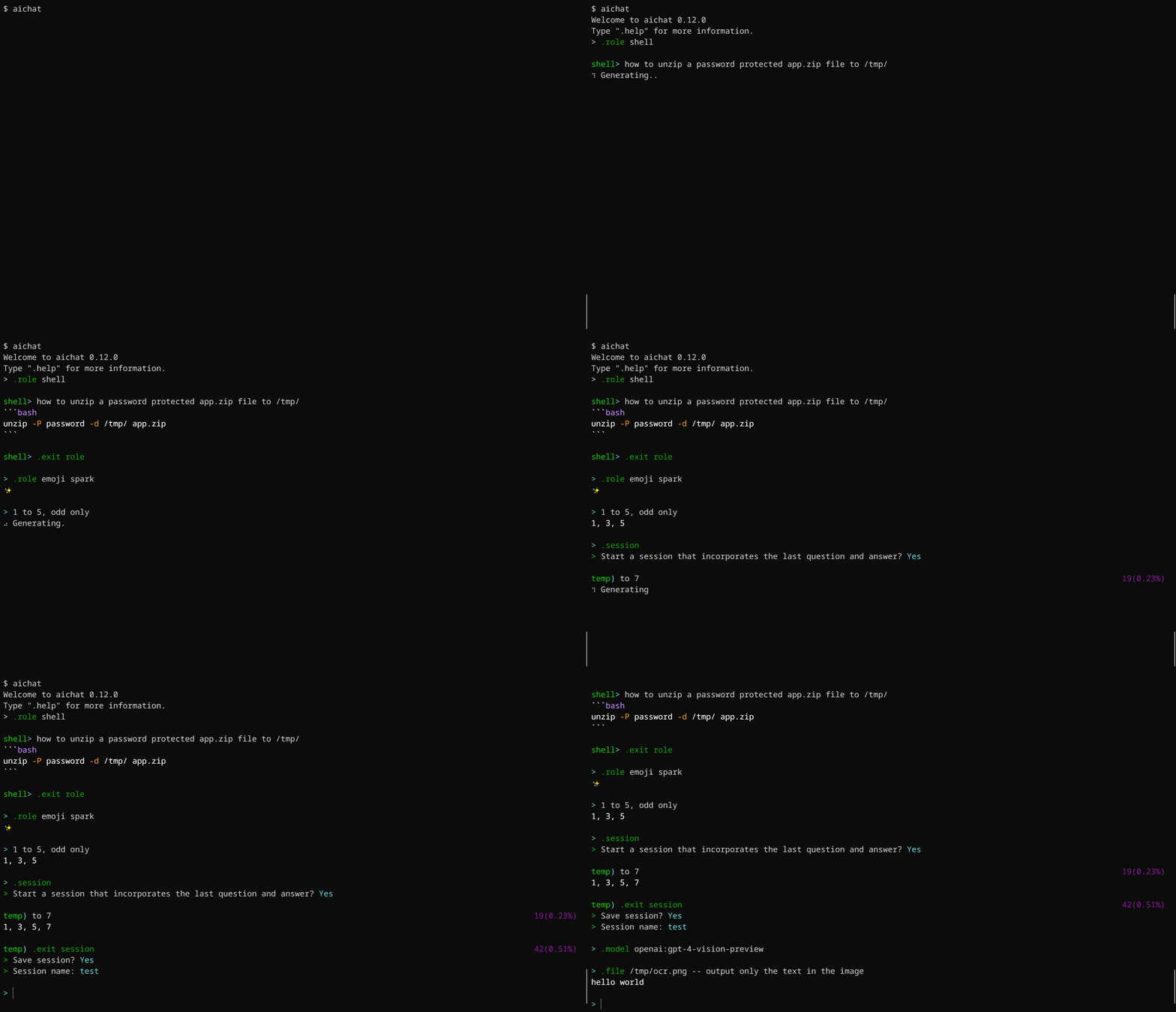 +## Features + +- Support most of the LLM platforms + - OpenAI: GPT3.5/GPT4 (paid, vision) + - Gemini (free, vision) + - Claude: (paid) + - Mistral (paid) + - OpenAI-Compatible (local) + - Ollama (free, local) + - Azure-OpenAI (paid) + - VertexAI: Gemini-1/Gemini-1.5 (paid, vision) + - Ernie (paid) + - Qianwen (paid, vision) + - Moonshot (paid) +- Support two modes: [Command](#command) and [Chat-REPL](#chat-repl) +- Support [roles](#roles) +- Support sessions (context-aware conversation) +- [Shell commands](#shell-commands) +- [Shell integration](#shell-integration) +- [Custom theme](https://github.com/sigoden/aichat/wiki/Custom-Theme) +- Persistent storage for chat messages and sessions +- Stream/Non-stream output + ## Install ### Use a package management tool @@ -42,31 +65,6 @@ pkg install aichat Download it from [GitHub Releases](https://github.com/sigoden/aichat/releases), unzip, and add aichat to your `$PATH`. -## Features -- Support most of the LLM platforms - - OpenAI: GPT3.5/GPT4 (paid, vision) - - Gemini (free, vision) - - Claude: Claude2/Claude3 (paid) - - Mistral (paid) - - OpenAI-Compatible (local) - - Ollama (free, local) - - Azure-OpenAI (paid) - - VertexAI: Gemini-1/Gemini-1.5 (paid, vision) - - Ernie (paid) - - Qianwen (paid, vision) - - Moonshot (paid) -- Support [Command Mode](#command) and [Chat-REPL Mode](#chat-repl) -- Support [roles](#roles) -- Support sessions (context-aware conversation) -- Support multimodal models (vision) -- Execute commands using natural language -- Shell integration -- Syntax highlighting for markdown and 200+ languages in code blocks -- Save messages/sessions -- Stream/Non-stream output -- [Custom theme](https://github.com/sigoden/aichat/wiki/Custom-Theme) -- With proxy - ## Config On first launch, aichat will guide you through the configuration. @@ -105,9 +103,9 @@ clients: max_input_tokens: 8192 ``` -Take a look at the [config.example.yaml](config.example.yaml) for the complete configuration details. +Please review the [config.example.yaml](config.example.yaml) to see all available configuration options. -There are some configurations that can be set through environment variables. For more information, please refer to the [Environment Variables](https://github.com/sigoden/aichat/wiki/Environment-Variables) page. +There are some configurations that can be set through environment variables, see [Environment Variables](https://github.com/sigoden/aichat/wiki/Environment-Variables). ## Command @@ -157,7 +155,7 @@ cat data.toml | aichat -c to json > data.json # Pipe IO aichat --file a.png b.png -- diff images # Attach files ``` -### Execute commands using natural language +### Shell commands Simply input what you want to do in natural language, and aichat will prompt and run the command that achieves your intent. @@ -201,7 +199,7 @@ This is a **very handy feature**, which allows you to use `aichat` shell complet To install shell integration, go to [./scripts/shell-integration](https://github.com/sigoden/aichat/tree/main/scripts/shell-integration) to download the script and source the script in rc file. After that restart your shell. You can invoke the completion with `alt+e` hotkey. -## Generate Code +### Generating code By using the `--code` or `-c` parameter, you can specifically request pure code output, for instance: @@ -233,9 +231,11 @@ aichat --code a echo server in node.js > echo-server.js node echo-server.js ``` +**The `-c/--code` option ensures the extraction of code from Markdown.** + ## Chat REPL -aichat has a powerful Chat REPL. +Aichat has a powerful Chat REPL. The REPL supports: @@ -423,7 +423,7 @@ mkdir /tmp/app unzip -P PASSWORD app.zip -d /tmp/app ``` -AIChat with roles will be a universal tool. +Aichat with roles will be a universal tool. ``` $ aichat --role shell extract encrypted zipfile app.zip to /tmp/app |