1
2
3
4
5
6
7
8
9
10
11
12
13
14
15
16
17
18
19
20
21
22
23
24
25
26
27
28
29
30
31
32
33
34
35
36
37
38
39
40
41
42
43
44
45
46
47
48
49
50
51
52
53
54
55
56
57
58
59
60
61
62
63
64
65
66
67
68
69
70
71
72
73
74
75
76
77
78
79
80
81
82
83
84
85
86
87
88
89
90
91
92
93
94
95
96
97
98
99
100
101
102
103
104
105
106
107
108
109
110
111
112
113
114
115
116
117
118
119
120
121
122
123
124
125
126
127
128
129
130
131
132
133
134
135
136
137
138
139
140
141
142
143
144
145
146
147
148
149
150
151
152
153
154
155
156
157
158
159
160
161
162
163
164
165
166
167
168
169
170
171
172
173
174
175
176
177
178
179
180
181
182
183
184
185
186
187
188
189
190
191
192
193
194
195
196
197
198
199
200
201
202
203
204
205
206
207
208
209
210
211
212
213
214
215
216
217
218
219
220
221
222
223
224
225
226
227
228
229
230
231
232
233
234
235
236
237
238
239
240
241
242
243
244
245
246
247
248
249
250
251
252
253
254
255
256
257
258
259
260
261
262
263
264
265
266
267
268
269
270
271
272
273
274
275
276
277
278
279
280
281
282
283
284
285
286
287
288
289
290
291
292
293
294
295
296
297
298
299
300
301
302
303
304
305
306
307
308
309
310
311
312
313
314
315
316
317
318
319
320
321
322
323
324
325
326
327
328
329
330
331
332
333
334
335
336
337
338
339
340
341
342
343
344
345
346
347
348
349
350
351
352
353
354
355
356
357
358
359
360
361
362
363
364
365
366
367
368
369
370
371
372
373
374
375
376
377
378
379
380
381
382
383
384
385
386
387
388
389
390
391
392
393
394
395
396
397
398
399
400
401
402
403
404
405
406
407
408
409
410
411
412
413
414
415
416
417
418
419
420
421
422
423
424
425
426
427
428
429
430
431
432
433
434
435
436
437
438
439
440
441
442
443
444
445
446
447
|
# Aichat: All-in-one AI-Powered CLI Chat & Copilot
[](https://github.com/sigoden/aichat/actions/workflows/ci.yaml)
[](https://crates.io/crates/aichat)
[](https://discord.gg/mr3ZZUB9hG)
AIChat is a cutting-edge CLI chat and copilot tool that seamlessly integrates with over 10 leading AI platforms, providing a powerful combination of chat-based interaction, context-aware conversations, and AI-assisted shell capabilities, all within a customizable and user-friendly environment.
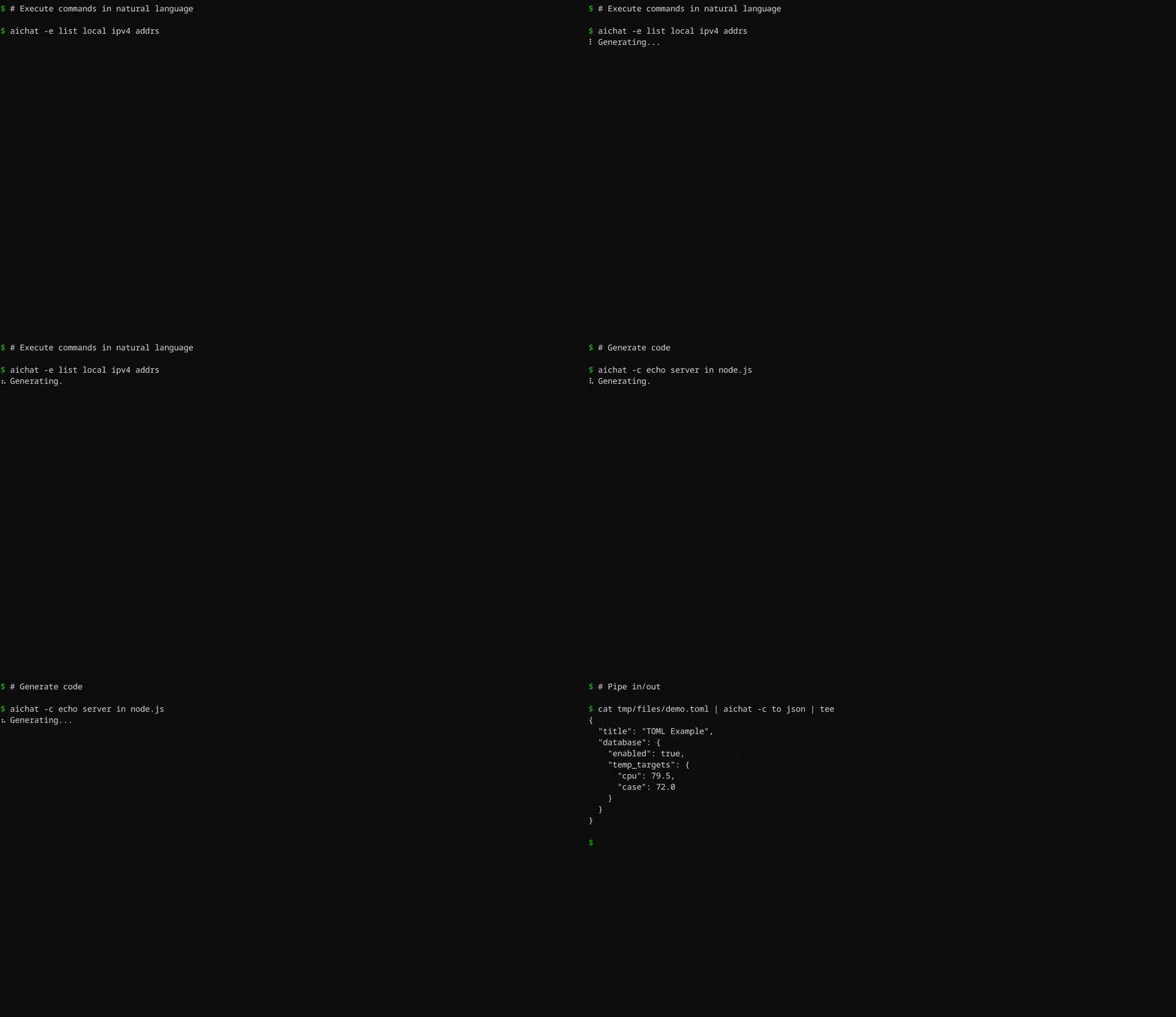
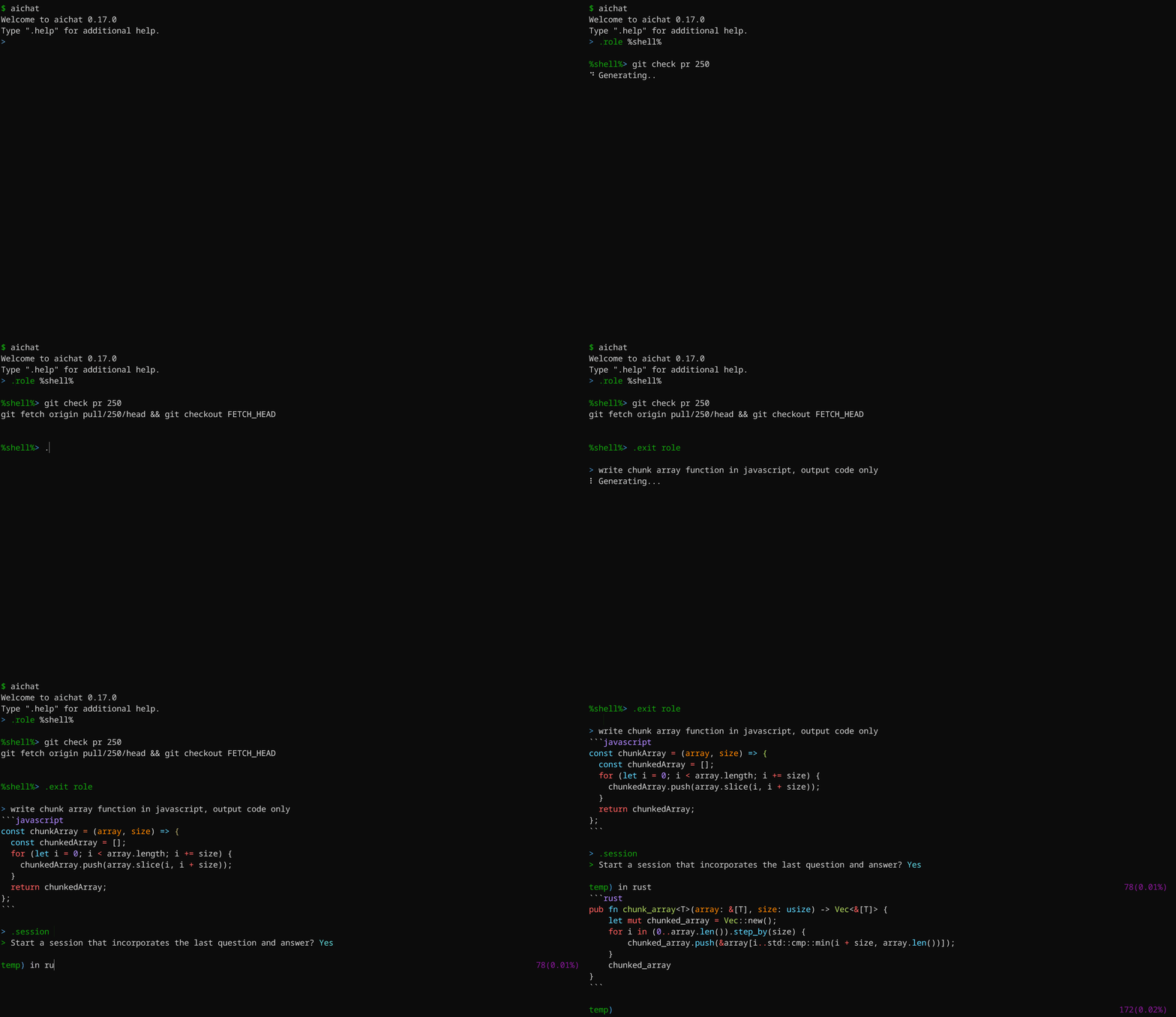
## Key Features
- Integrate with 20+ AI platforms
- Support [Chat-REPL](#chat-repl)
- Support [Roles](#defining-roles)
- Support sessions (context-aware conversation)
- Support image analysis (vision)
- [Shell commands](#shell-commands): Execute commands using natural language
- [Shell integration](#shell-integration): AI-based shell auto-completion
- Support extensive configuration and theme customization
- Support stream/non-stream
- Provide access to all LLMs using OpenAI format API
- Host LLM playground/arena web applications
## Supported AI Platforms
- OpenAI GPT-3.5/GPT-4 (paid, vision)
- Gemini: Gemini-1.0/Gemini-1.5 (free, paid, vision)
- Claude: Claude-3 (vision, paid)
- Mistral (paid)
- Cohere: Command-R/Command-R+ (paid)
- Perplexity: Llama-3/Mixtral (paid)
- Groq: Llama-3/Mixtral/Gemma (free)
- Ollama (free, local)
- Azure OpenAI (paid)
- VertexAI: Gemini-1.0/Gemini-1.5 (paid, vision)
- VertexAI-Claude: Claude-3 (paid, vision)
- Bedrock: Llama-3/Claude-3/Mistral (paid, vision)
- Cloudflare (free, paid, vision)
- Replicate (paid)
- Ernie (paid)
- Qianwen (paid, vision)
- Moonshot (paid)
- ZhipuAI: GLM-3.5/GLM-4 (paid, vision)
- Deepseek (paid)
- Other openAI-compatible platforms
## Install
### Package Managers
- **Rust Developers:** `cargo install aichat`
- **Homebrew/Linuxbrew Users:** `brew install aichat`
- **Pacman Users**: `yay -S aichat`
- **Windows Scoop Users:** `scoop install aichat`
- **Android Termux Users:** `pkg install aichat`
### Pre-built Binaries
Download pre-built binaries for macOS, Linux, and Windows from [GitHub Releases](https://github.com/sigoden/aichat/releases), extract them, and add the `aichat` binary to your `$PATH`.
## Configuration
Upon first launch, AIChat will guide you through the configuration process. An example configuration file is provided below:
```
> No config file, create a new one? Yes
> AI Platform: openai
> API Key: <your_api_key_here>
✨ Saved config file to <user-config-dir>/aichat/config.yaml
```
Feel free to adjust the configuration according to your needs.
> 💡 Use the `AICHAT_CONFIG_DIR` environment variable to custom the config dir for aichat files.
```yaml
model: openai:gpt-3.5-turbo # Specify the language model to use
temperature: null # Set default temperature parameter
top_p: null # Set default top-p parameter
save: true # Indicates whether to persist the message
save_session: null # Controls the persistence of the session, if null, asking the user
highlight: true # Controls syntax highlighting
light_theme: false # Activates a light color theme when true
wrap: no # Controls text wrapping (no, auto, <max-width>)
wrap_code: false # Enables or disables wrapping of code blocks
auto_copy: false # Enables or disables automatic copying the last LLM response to the clipboard
keybindings: emacs # Choose keybinding style (emacs, vi)
prelude: null # Set a default role or session to start with (role:<name>, session:<name>)
# Command that will be used to edit the current line buffer with ctrl+o
# if unset fallback to $EDITOR and $VISUAL
buffer_editor: null
# Compress session when token count reaches or exceeds this threshold (must be at least 1000)
compress_threshold: 1000
clients:
- type: openai
api_key: sk-xxx
- type: openai-compatible
name: localai
api_base: http://127.0.0.1:8080/v1
models:
- name: llama3
max_input_tokens: 8192
...
```
Refer to the [config.example.yaml](config.example.yaml) file for a complete list of configuration options.
## Command line
```
Usage: aichat [OPTIONS] [TEXT]...
Arguments:
[TEXT]... Input text
Options:
-m, --model <MODEL> Select a LLM model
--prompt <PROMPT> Use the system prompt
-r, --role <ROLE> Select a role
-s, --session [<SESSION>] Start or join a session
--save-session Forces the session to be saved
--serve [<ADDRESS>] Serve the LLM API and WebAPP
-e, --execute Execute commands in natural language
-c, --code Output code only
-f, --file <FILE> Include files with the message
-H, --no-highlight Turn off syntax highlighting
-S, --no-stream Turns off stream mode
-w, --wrap <WRAP> Control text wrapping (no, auto, <max-width>)
--light-theme Use light theme
--dry-run Display the message without sending it
--info Display information
--list-models List all available models
--list-roles List all available roles
--list-sessions List all available sessions
-h, --help Print help
-V, --version Print version
```
Here are some practical examples:
```sh
aichat # Start REPL
aichat -e install nvim # Execute
aichat -c fibonacci in js # Code
aichat -s # REPL + New session
aichat -s session1 # REPL + New/Reuse 'session1'
aichat --info # View system info
aichat -r role1 --info # View role info
aichat -s session1 --info # View session info
cat data.toml | aichat -c to json > data.json # Pipe stdio/stdout
aichat -f data.toml -c to json > data.json # Send files
aichat -f a.png -f b.png diff images # Send images
```
### Shell commands
Simply input what you want to do in natural language, and aichat will prompt and run the command that achieves your intent.
```
aichat -e <text>...
```
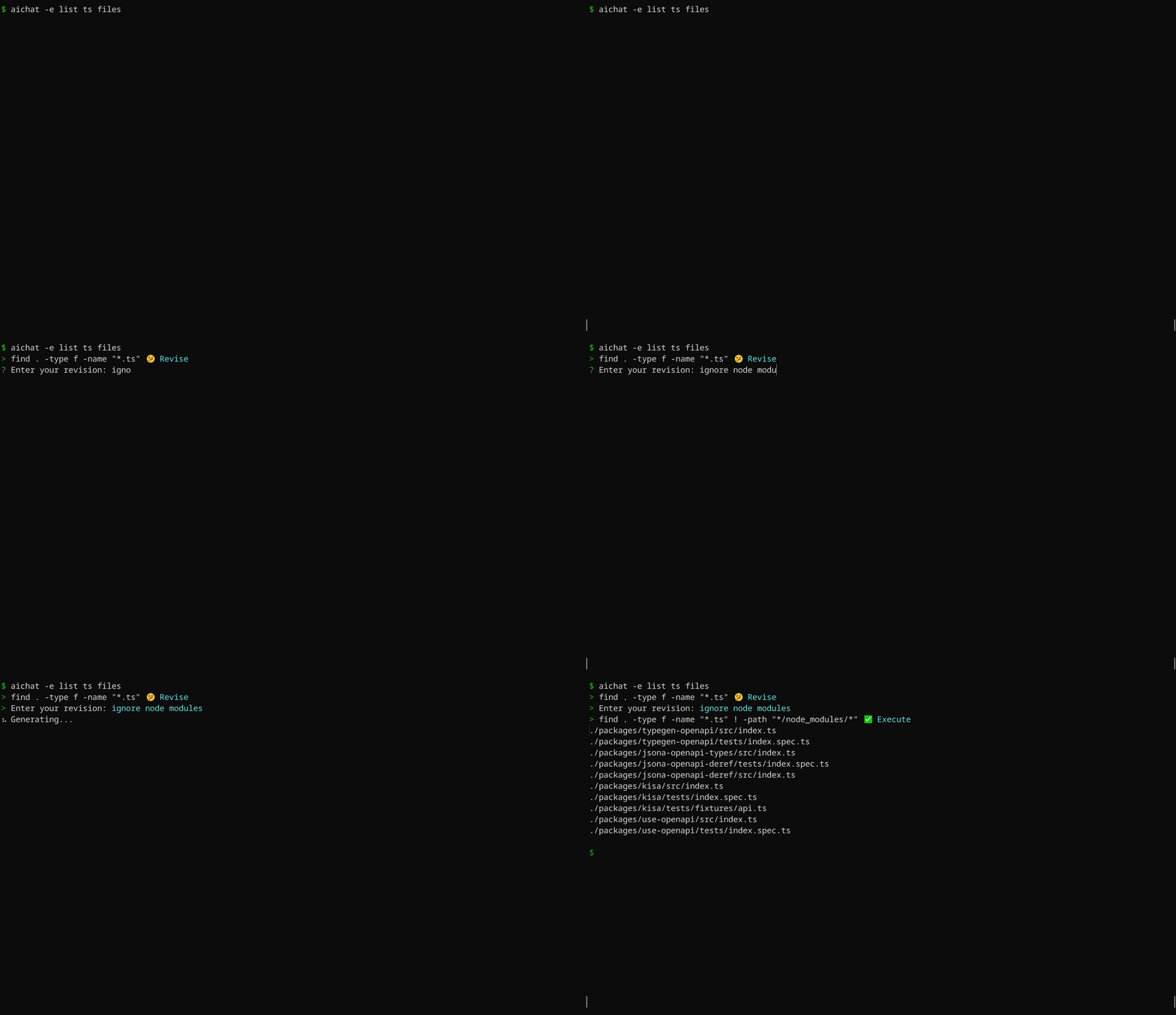
AIChat is aware of OS and shell you are using, it will provide shell command for specific system you have. For instance, if you ask `aichat` to update your system, it will return a command based on your OS. Here's an example using macOS:
```
$ aichat -e update my system
? sudo softwareupdate -i -a
```
The same prompt, when used on Ubuntu, will generate a different suggestion:
```
$ aichat -e update my system
? sudo apt update && sudo apt upgrade -y
```
### Shell integration
This is a **very handy feature**, which allows you to use `aichat` shell completions directly in your terminal, without the need to type `aichat` with prompt and arguments. This feature puts `aichat` completions directly into terminal buffer (input line), allowing for immediate editing of suggested commands.
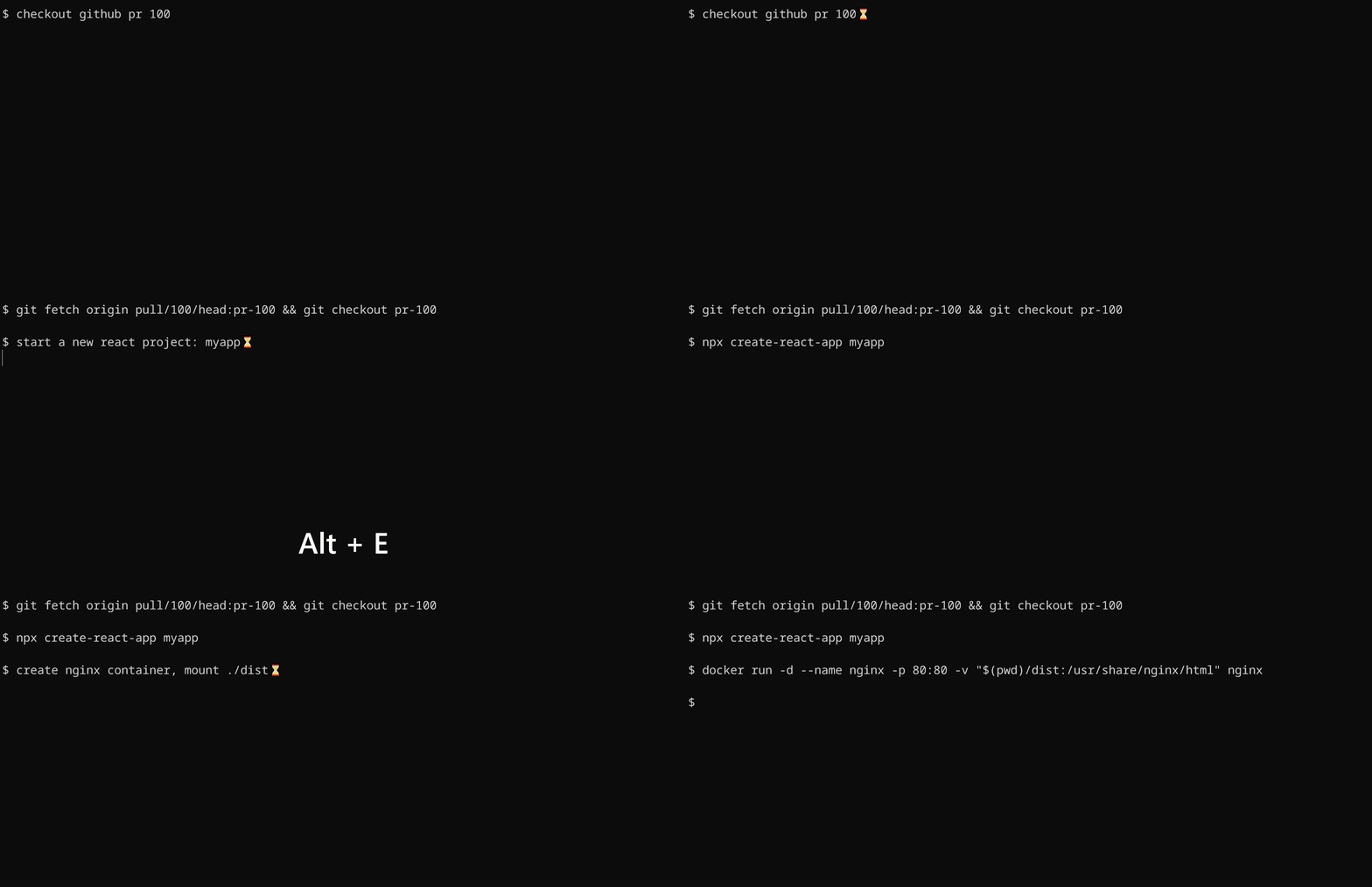
To install shell integration, go to [./scripts/shell-integration](https://github.com/sigoden/aichat/tree/main/scripts/shell-integration) to download the script and source the script in rc file. After that restart your shell. You can invoke the completion with `alt+e` hotkey.
### Generating code
By using the `--code` or `-c` parameter, you can specifically request pure code output.

**The `-c/--code` option ensures the extraction of code from Markdown.**
## Chat REPL
AIChat has a powerful Chat REPL.
REPL Features:
- Tab auto-completion
- [Custom REPL Prompt](https://github.com/sigoden/aichat/wiki/Custom-REPL-Prompt)
- Emacs/VI keybinding
- Edit/paste multi-line text
- Open an editor to edit the current prompt
- History and Undo
### `.help` - show help message
```
> .help
.help Show this help message
.info View system info
.model Change the current LLM
.prompt Create a temporary role using a prompt
.role Switch to a specific role
.info role View role info
.exit role Leave the role
.session Begin a chat session
.info session View session info
.save session Save the chat to file
.clear messages Erase messages in the current session
.exit session End the current session
.file Include files with the message
.set Adjust settings
.copy Copy the last response
.exit Exit the REPL
Type ::: to start multi-line editing, type ::: to finish it.
Press Ctrl+O to open an editor to edit the input buffer.
Press Ctrl+C to cancel the response, Ctrl+D to exit the REPL
```
### `.info` - view information
```
> .info
model openai:gpt-3.5-turbo
max_output_tokens 4096 (current model)
temperature -
top_p -
dry_run false
save true
save_session -
highlight true
light_theme false
wrap no
wrap_code false
auto_copy true
keybindings emacs
prelude -
compress_threshold 2000
config_file /home/alice/.config/aichat/config.yaml
roles_file /home/alice/.config/aichat/roles.yaml
messages_file /home/alice/.config/aichat/messages.md
sessions_dir /home/alice/.config/aichat/sessions
```
> 💡 Run `.info role` to view your current role information.
> 💡 Run `.info session` to view your current session information.
### `.model` - change the current LLM
```
> .model openai:gpt-4
> .model ollama:llama3
```
> Tab autocompletion helps in quickly typing the model names.
### `.role` - switch to a specific role
Select a role:
```
> .role emoji
```
Send message with the role:
```
emoji> hello
👋
```
Leave current role:
```
emoji> .exit role
> hello
Hello there! How can I assist you today?
```
Temporarily use a role without switching to it:
```
> .role emoji hello
👋
>
```
### `.session` - Begin a chat session
By default, aichat behaves in a one-off request/response manner.
You should run aichat with `-s/--session` or use the `.session` command to start a session.
```
> .session
temp) 1 to 5, odd only 0
1, 3, 5
temp) to 7 19(0.46%)
1, 3, 5, 7
temp) .exit session 42(1.03%)
? Save session? (y/N)
```
### `.prompt` - create a temporary role using a prompt
There are situations where setting a system message is necessary, but modifying the `roles.yaml` file is undesirable.
To address this, we leverage the `.prompt` to create a temporary role specifically for this purpose.
```
> .prompt your are a js console
%%> Date.now()
1658333431437
```
### `.file` - read files and send them as input
```
Usage: .file <file>... [-- text...]
.file message.txt
.file config.yaml -- convert to toml
.file a.jpg b.jpg -- What’s in these images?
.file https://ibb.co/a.png https://ibb.co/b.png -- what is the difference?
```
> The capability to process images through `.file` command depends on the current model’s vision support.
### `.set` - adjust settings (non-persistent)
```
.set max_output_tokens 4096
.set temperature 1.2
.set top_p 0.8
.set compress_threshold 1000
.set dry_run true
```
## Server
AIChat comes with a built-in lightweight web server.
```
$ aichat --serve
Chat Completions API: http://127.0.0.1:8000/v1/chat/completions
LLM Playground: http://127.0.0.1:8000/playground
LLM ARENA: http://127.0.0.1:8000/arena
$ aichat --serve 0.0.0.0:8080 # to specify a different server address
```
### OpenAI format API
AIChat offers the ability to function as a proxy server for all LLMs. This allows you to interact with different LLMs using the familiar OpenAI API format, simplifying the process of accessing and utilizing these LLMs.
Test with curl:
```sh
curl -X POST -H "Content-Type: application/json" -d '{
"model":"claude:claude-3-opus-20240229",
"messages":[{"role":"user","content":"hello"}],
"stream":true
}' http://127.0.0.1:8000/v1/chat/completions
```
### LLM Playground
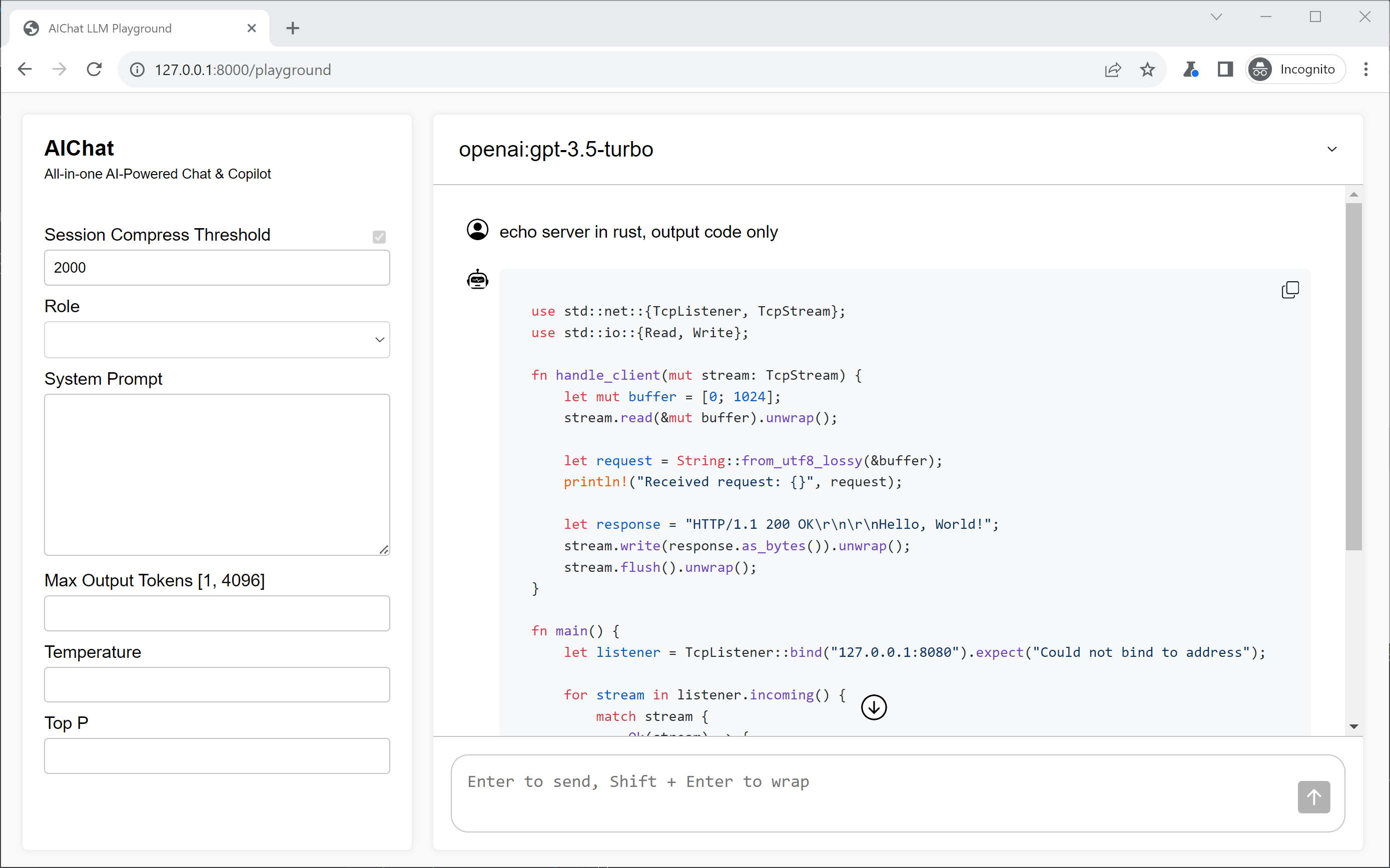
The LLM Playground is a webapp that allows you to interact with any LLM supported by AIChat directly in your browser.
### LLM Arena
The LLM Arena is a web-based platform where you can compare different LLMs side-by-side.

## Defining Roles
The `roles.yaml` file allows you to define a variety of roles, each with its own unique prompt and behavior. This enables the LLM to adapt to specific tasks and provide tailored responses.
We can define a role like this:
```yaml
- name: emoji
prompt: >
I want you to translate the sentences I write into emojis.
I will write the sentence, and you will express it with emojis.
I don't want you to reply with anything but emoji.
```
This enables the LLM to respond as a Linux shell expert.
```
> .role emoji
emoji> fire
🔥
```
## Wikis
- [Role Guide](https://github.com/sigoden/aichat/wiki/Role-Guide)
- [Environment Variables](https://github.com/sigoden/aichat/wiki/Environment-Variables)
- [Custom REPL Prompt](https://github.com/sigoden/aichat/wiki/Custom-REPL-Prompt)
- [Custom Theme](https://github.com/sigoden/aichat/wiki/Custom-Theme)
## License
Copyright (c) 2023-2024 aichat-developers.
AIChat is made available under the terms of either the MIT License or the Apache License 2.0, at your option.
See the LICENSE-APACHE and LICENSE-MIT files for license details.
|
